Guide · Hurricanes and power

Hurricane season IT guide

Do the big work before June 1, and the last 72 hours before a storm become a short checklist.
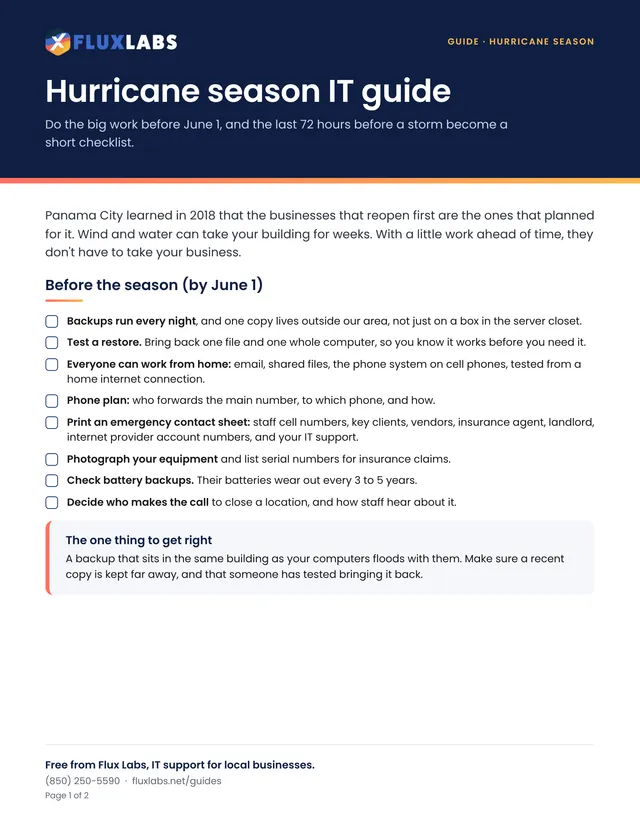
First page of the Hurricane season IT guide guide

Free to print and share

2 pages, US Letter, in color. Tick the boxes and type on the lines right in your browser or PDF reader, then save or print it.

We'll send the link, plus an occasional IT tip. Unsubscribe anytime.

Filling in online works in Chrome, Edge, Safari and Adobe Reader. Your answers stay on your computer.

Want all 34? Get the whole pack by email or browse the library.

What's inside

The full text

Panama City learned in 2018 that the businesses that reopen first are the ones that planned for it. Wind and water can take your building for weeks. With a little work ahead of time, they don't have to take your business.

Before the season (by June 1)

  • Backups run every night, and one copy lives outside our area, not just on a box in the server closet.
  • Test a restore. Bring back one file and one whole computer, so you know it works before you need it.
  • Everyone can work from home: email, shared files, the phone system on cell phones, tested from a home internet connection.
  • Phone plan: who forwards the main number, to which phone, and how.
  • Print an emergency contact sheet: staff cell numbers, key clients, vendors, insurance agent, landlord, internet provider account numbers, and your IT support.
  • Photograph your equipment and list serial numbers for insurance claims.
  • Check battery backups. Their batteries wear out every 3 to 5 years.
  • Decide who makes the call to close a location, and how staff hear about it.

The one thing to get right

A backup that sits in the same building as your computers floods with them. Make sure a recent copy is kept far away, and that someone has tested bringing it back.

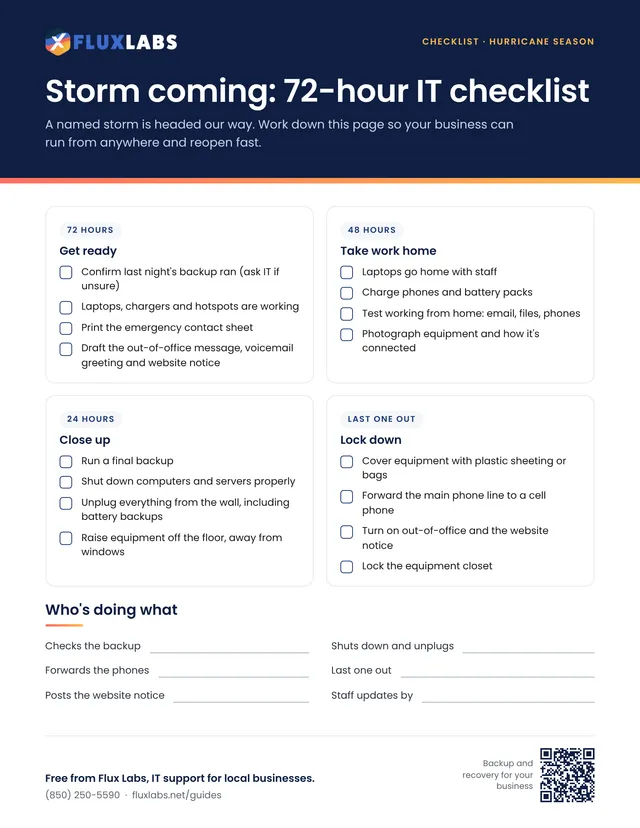
When a storm heads our way

5 days out

Get ready

  • Confirm last night's backup ran (or ask IT)
  • Check laptops, chargers and hotspots
  • Draft your out-of-office message, voicemail greeting and website notice
72 to 48 hours

Take work home

  • Laptops go home with staff
  • Charge phones and battery packs
  • Print the contact sheet
  • Move equipment off the floor and away from windows
24 hours

Close up

  • Run a final backup
  • Shut down computers and servers properly
  • Unplug everything from the wall, including battery backups
  • Cover equipment with plastic, forward the phones, turn on the out-of-office message
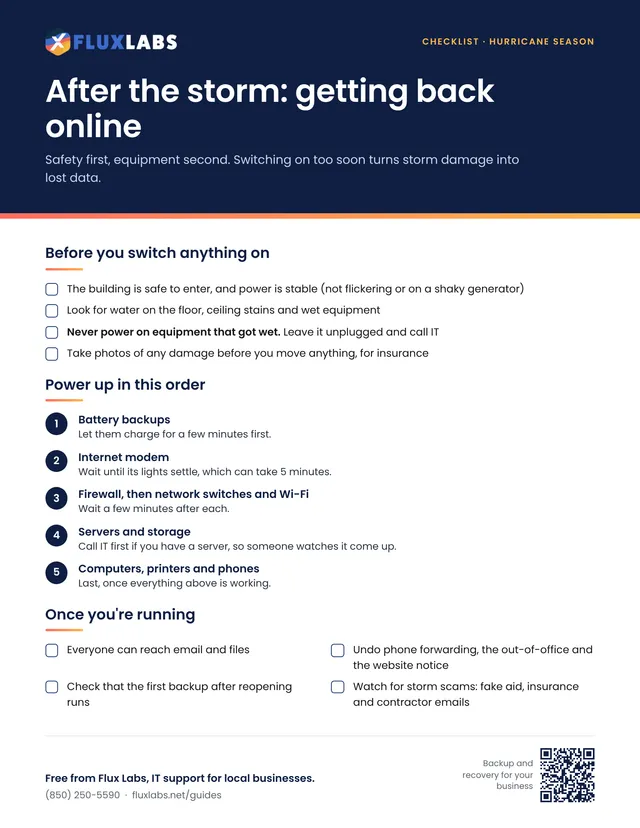
After the storm

Reopen safely

  • Never power on wet equipment
  • Call IT before turning servers back on
  • Power up in order: internet, firewall, network, servers, computers
  • Check the first backup after reopening

Watch for storm scams

  • Fake disaster-aid, insurance or contractor emails and texts asking you to sign in or pay a fee.
  • Fake charities that appear the day after a storm.
  • "New bank details" from a vendor while everyone is distracted. Always call back on a number you already have.

No one to call when a storm hits?

Flux Labs watches local businesses' systems before, during and after a storm, and helps them reopen in the right order. Call (850) 250-5590.

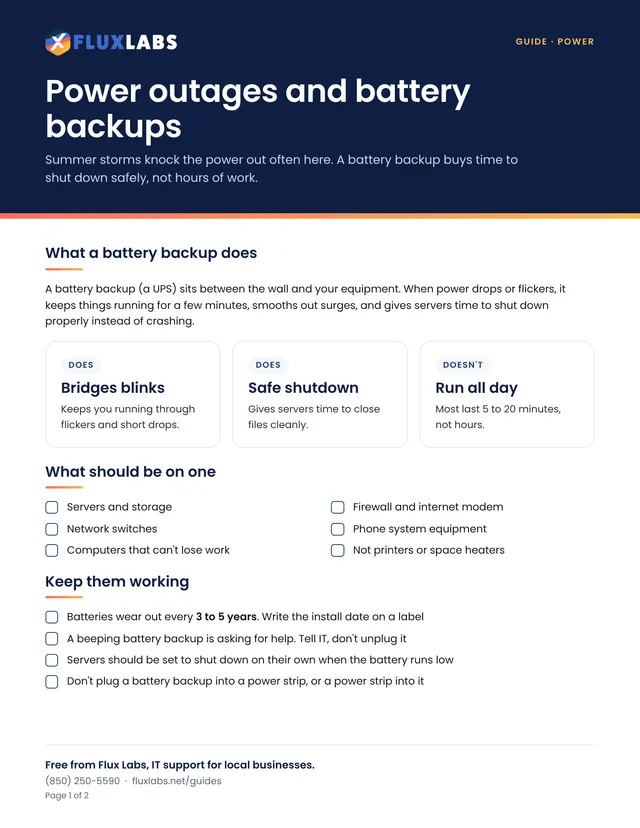
Hurricanes and power

More printables like this

Questions about anything in here?

Our team helps local businesses with exactly this every day. A 15-minute call is free.
Book a call

Book a 15-minute call

A quick call about your business, your setup and what isn't working. If we're not the right fit, we'll say so.

Pick a day

Times shown in Central Time

Loading open times…