Want to protect business social media accounts? Keep ownership under the company, give each person their own sign-in, turn on two-step login, clear out old users and tools, watch for scams, and write a quick recovery plan before trouble hits.
Business social pages often start small and grow over time. One person creates a page. Another links an ad account. Later, an outside agency comes in. Years pass and nobody checks who actually owns what, which email or phone is on file, or who can change settings. That’s fine—right up until someone leaves, an agency relationship ends, or you see a password reset you didn’t request.
If an attacker gets into an account, they can post scams, message your customers, view private conversations, and run ads on your dime. Even a short-lived breach can damage trust. The best fix is to tidy things up now, before something goes wrong.
Build a complete register of your pages and profiles
List every social account your business owns or touches. Don’t stop at the main company page. Include regional or location pages, product or campaign profiles, YouTube channels, ad accounts, and anything tied to events or one-off promotions.
For each one, record:
- Platform, page or profile name, and public handle
- Who the business recognizes as the owner
- Current administrators and their roles
- Recovery email address and recovery phone number
- Linked ad or payment accounts
- Any agencies, contractors, scheduling tools, or other apps with access
Store this list in an approved location. Don’t put passwords in that document—keep those in the company’s password manager along with recovery codes.
Keep ownership details under company control
Many pages were set up with a personal email or mobile number “for now” and never changed. That creates problems when people move on or change numbers.

Photo: https://www.pexels.com/photo/close-up-shot-of-a-smartphone-5956083/
Use a business-owned recovery email address and a business phone number that won’t disappear when staff change. Avoid a mailbox that only one person can open. Create a monitored address for social and marketing administration, protect it with two-step login (multi-factor authentication), and restrict who can access it.
Where possible, have at least two trusted people who can manage access. Keep the group small, but do not rely on a single person who might be away when you need help. Store recovery codes in the company password manager so they don’t leave with an employee’s personal vault or device.
Give people their own sign-in—don’t share one password
Most platforms let you grant access to individuals without handing around the main credentials. That makes it easy to remove one person without disrupting everyone else and creates a clearer activity trail.
- Facebook/Meta: Page access supports different levels, from task-only to full control. See Meta’s guidance.
- LinkedIn: Page admin rights are tied to individual member profiles, not a separate Page login. LinkedIn explains how Page admin access works.
- X: The Delegate feature lets owners assign roles like administrator or contributor without revealing the account password.
- YouTube: Use channel permissions so multiple people can manage a channel through their own Google accounts.
Never share a single personal profile to run your company presence. For example, LinkedIn profiles are for individuals, and sharing one person’s login can lead to restrictions.
Right-size every role
Match access to the job. A content creator may only need to draft and publish posts. An analyst may only need to view metrics. Someone managing ads may not need the keys to your main page. Be cautious with top-tier permissions—Meta notes that anyone granted Full control of a Facebook Page can add or remove people and even delete the Page (source).
Review permissions when roles change. It’s common to find legacy access nobody remembered to remove.
Turn on two-step login for everyone
Passwords get phished, reused, or stolen. Two-step login (also called multi-factor authentication) adds another check before access is granted.
Require two-step login for every employee, contractor, and agency account that can touch your business pages—even if they only post content. Use the strongest method your platform offers. Security keys and passkeys help block phishing by confirming the real site. An authentication app is also strong.
Text or email codes are better than a password alone, but they can be tricked through phishing or attacks on a mobile account. CISA advises using phishing-resistant options whenever you can (source). Teach your team to deny unexpected prompts and report them right away.
Protect the recovery mailbox
If an attacker gets into the email account used for resets, they can change passwords, approve security changes, and hide alerts. That makes taking back control much harder.
Cyber.gov.au recommends turning on two-step login for the email address tied to your social accounts (source).
Give that mailbox a unique password, use two-step login, and keep recovery methods up to date. If you suspect trouble, have your IT team check for unusual forwarding rules, sign-ins from unexpected locations, and any edits to recovery info.
Treat warning messages with care
Admins often get DMs or emails claiming a post broke the rules, a page lost verification, or identity checks are needed. Many are phishing. They push you to a fake login page to steal your password and codes—or ask you to add a “support rep” as an admin.
Don’t use links in those messages. Open the platform’s official app or website and check notifications there. Never share passwords, verification codes, backup codes, or authentication-app codes with anyone claiming to be support. The Australian Signals Directorate says organizations should not hand over passwords or verification codes, especially to accounts pretending to be the platform (source).
Audit connected apps and scheduling tools
Scheduling platforms, analytics, contest tools, help desk systems, and ad software can be linked to your pages. Some can post, read messages, view account data, or manage ads. If a third-party tool is breached, an attacker might use the permissions you granted without needing your password.
Regularly review connected apps in each platform’s security settings. Remove tools you no longer use and investigate anything unfamiliar. For the ones you keep, confirm the minimum permissions they need. A reporting app may only need analytics; a scheduler may need publishing. Don’t grant broader access without a clear reason.
CISA’s guidance on social media account protection recommends limiting third-party tools, reviewing their permissions, and safeguarding API keys or tokens.
Remove access during offboarding
Make social access part of your standard employee and contractor exit steps. Remove page roles, ad permissions, delegated access, and connections to scheduling or analytics tools. If anyone ever knew a shared password, change it and sign out active sessions.
Don’t assume removing someone from a page cuts off their ad or business-manager access. Check each area separately—page, ad account, third-party tools, and shared storage. Also confirm that recovery emails and phone numbers still belong to current staff. Old numbers that get reassigned can cause problems later.
Keep an eye on active sessions and security alerts
Most platforms show where an account is signed in. Look for devices you don’t recognize, locations that don’t match your team, and sessions that have been open longer than they should. IP-based locations can be approximate, so an unfamiliar city doesn’t prove a hack—but it’s a signal to confirm.
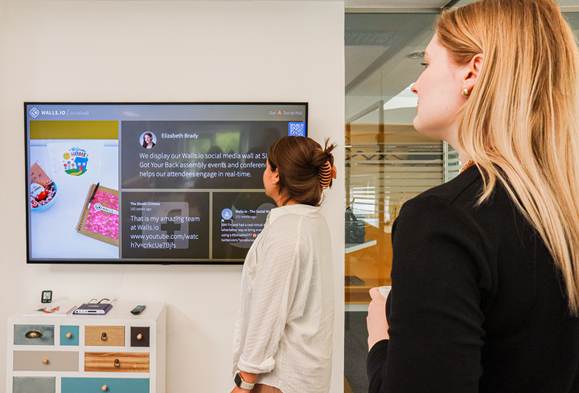
Photo: https://www.pexels.com/photo/women-standing-in-the-office-and-looking-at-a-tv-screen-15467755/
If something looks off, ask the relevant employee first. If it’s not theirs, sign that device out, reset the affected sign-in details, and review what changed recently. Turn on alerts for new logins and security changes, and route them to a monitored mailbox so someone sees them even when team members are away.
Watch ad access and payment methods
A hijacked page can lead straight to your ad tools and cards. Review who can create campaigns, adjust spend limits, and manage payment methods. Remove unused cards or payment accounts and enable any spend or change alerts your platform offers.
Some platforms separate page roles from ad-account roles. Review both. Removing a person from the public page doesn’t always unlink them from the ad account or business manager. Ask the person who checks company card statements to flag any social media charges that don’t look right—small test charges can be an early warning.
Plan what you’ll do if a page is compromised
Write a short recovery checklist now. Note who will contact the platform, who will secure the linked email account, and who can approve a customer update if fake posts or messages went out. Keep official recovery links for each platform in your account register so staff aren’t hunting around search results and landing on fake support sites.
If you think an account is compromised, use a device you trust to change the password, end unfamiliar sessions, and review recent changes. Check for new admins, edited recovery info, or newly connected apps. Lock down the recovery mailbox too—if an attacker still controls it, they can undo your fixes.
Save screenshots and times for suspicious posts, DMs, ads, and changes. If customers were targeted, warn them through a channel you still control and tell them what to ignore. CISA suggests including items like affected devices, unauthorized access, fake posts, and any exposed private messages in your social media incident response plan.
Revisit your setup on a schedule
Review ownership, admins, connected apps, recovery details, and ad permissions a few times a year—plus any time roles change, someone departs, or you start or finish with an agency. Platforms add features and change security settings, so include those in your checkup.
Your goal is to answer four questions at any moment: Who owns each account? Who can get in? How is access protected? What steps will we follow if a takeover happens? When those answers are documented and current, recovery is faster and less stressful.
Frequently Asked Questions
Should only one person hold admin rights?
No. Keeping the pool small is smart, but having just one admin risks lockout if that person is away or loses access. Assign at least one additional trusted admin for continuity.
Is an authenticator app better than text codes?
Generally, yes. Authenticator apps reduce SIM-swap risks, and security keys or passkeys offer even stronger protection against phishing. If text messages are the only option, they’re still better than a password by itself.
Can a marketing agency manage our pages?
Yes. Give the agency its own access and limit it to the work it performs. Remove that access as soon as the engagement ends.
Should we use a personal email for recovery?
Avoid it. Use an address controlled by the business so recovery doesn’t depend on a former employee’s inbox.
What if a platform can’t assign separate users?
Store the password in the company password manager, keep access to the smallest practical group, turn on two-step login, document who holds recovery methods, and change the password whenever someone leaves that group.
Sources and Further Reading
- CISA: Social Media Account Protection
- CISA: Require Multifactor Authentication
- Australian Signals Directorate: Security Tips for Social Media and Messaging Services
- Cyber.gov.au: Secure Your Social Media
- Meta: About Facebook Page Access
- LinkedIn: Understand Admin Access for LinkedIn Pages
- X: How to Use the Delegate Feature
- YouTube: Add or Remove Access With Channel Permissions
If you’d like a second set of eyes on your company pages and ad accounts—for offices around Panama City and across Bay County—we’re here to help. Feel free to get in touch.
—