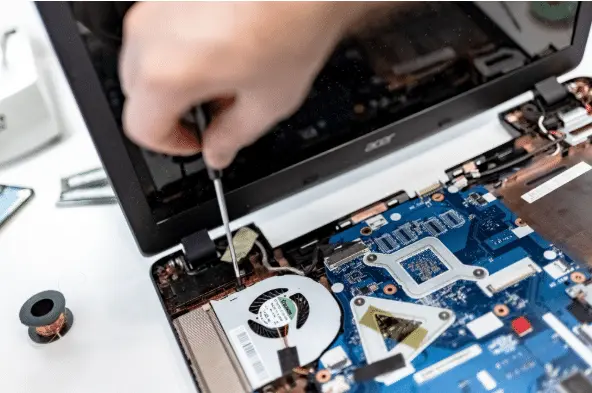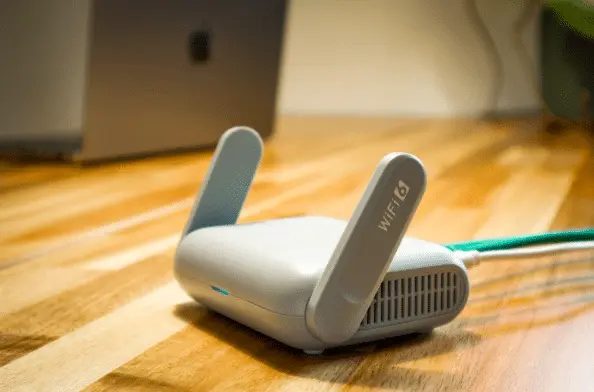
Before you buy new, try these proven ways to speed up an old computer: move to an SSD, add more RAM, update the graphics card, fix cooling, plug in a second screen, use an external drive for storage, and get a professional tune-up.
Why Upgrades Can Beat Replacing Your PC
New computers are expensive. Many small offices and home users try to stretch another year or two from older machines. If yours feels bogged down—even after trying basic tips—targeted upgrades can deliver a big boost for far less than a replacement. Here are practical options we recommend for offices around Panama City.
Swap in a Solid-State Drive (SSD)
Moving from a traditional hard drive to an SSD is often the single best performance upgrade. SSDs have no moving parts and use flash memory, so starting up, opening files, and launching apps happens much faster.
According to published advantages, you can expect:
- Read/write speeds up to 2500 MB/second for SSDs vs. up to 200 MB/second for HDDs
- Access times around 0.1 ms for SSDs vs. 5.5–8.0 ms for HDDs
- Power use of roughly 2–5 watts for SSDs vs. 6–15 watts for HDDs
The result: quicker response and less waiting all day long.
Add More RAM (Memory)
If your computer shipped with 4 GB of RAM, it may choke on multiple browser tabs or any graphics-heavy app. If your system has open memory slots, moving to 8 GB or 12 GB can make everyday work feel snappy again.
Upgrade the Graphics Card
Working with video, images, or 3D software—or even casual gaming—can suffer on an outdated graphics card. A newer, more capable card can dramatically improve visuals and extend the usable life of your PC without replacing the whole system.
Fix Overheating with Better Cooling
Excess heat shortens component life and triggers weird behavior like crashes or surprise reboots. If fans are worn or airflow is blocked, your machine can run hot. Have the fan and cooling setup checked and replaced if needed to keep temperatures in a safe range.
Speed Up Work on a Laptop with a Second Screen
If the laptop screen feels cramped, an external monitor is a low-cost way to work faster—no new computer needed. A larger display gives you more room for email, spreadsheets, and video calls side by side, which can lift productivity.
Replace a Problem Keyboard
Sticky keys, missing caps, or worn-off labels slow you down. A fresh keyboard is an inexpensive quality-of-life upgrade that can remove daily frustration.
Use an External Hard Drive to Offload Files
When your internal drive is close to full, everything slows down. An external hard drive lets you move older files off the main drive while keeping them handy. It’s portable, too, so you can carry data between home and office.
Get a Professional Computer Tune-Up
Automated "cleaner" tools can only do so much. A managed IT provider can go deeper—cleaning up the Windows Registry, removing duplicate system files, fixing internal errors, and checking for failing parts. You’ll also get guidance on which upgrades will give you the most noticeable gains.
Frequently asked questions
What makes an SSD feel so much faster?
SSDs access data almost instantly and move it much quicker than hard drives. Typical SSDs can reach up to 2500 MB/s with about 0.1 ms access time, while HDDs top out around 200 MB/s with 5.5–8.0 ms access time, and they draw more power. See the published advantages for details.
How do I know if I can add RAM?
Many desktops and some laptops have open memory slots. We can check your model, confirm compatible RAM, and install it safely.
Will an external monitor make my computer faster?
It won’t speed up the processor, but it can make you faster by giving you more room to work—fewer window swaps and less scrolling.
Why is my PC shutting down randomly?
Overheating is a common cause. If cooling fans are failing or vents are clogged, parts can overheat, leading to crashes or restarts. A cooling check-up and cleaning often solves it.
Need Help Bringing an Older PC Back to Life?
Don’t fight a sluggish machine. We can recommend the right mix of upgrades for your setup and handle the work for you.
Want a local hand to speed up an old computer? Flux Labs is here to help—get in touch.